Shareable Image
Pure black color background with HEX code, RGB values and color meaning
Pure black color background with HEX code, RGB values and color meaning
Pure black color background with HEX code, RGB values and color meaning explores one of the most fundamental and versatile colors in digital design, science, photography, fashion, and visual communication. This educational infographic presents pure black, represented by the hexadecimal code #000000, alongside its RGB, HSL, and HSV values, color classification, and scientific explanation. Black is widely associated with elegance, sophistication, authority, mystery, depth, and simplicity. Its distinctive appearance makes it an essential reference for understanding color theory, contrast, digital displays, and modern design.
The image features a solid black background with clean white typography and thin white outlines. The large BLACK heading identifies the featured color, while the label Neutral / achromatic color explains its classification. A circular black swatch, detailed technical specifications, and a concise scientific explanation appear inside a carefully organized information panel near the bottom. The predominantly black composition allows viewers to observe the featured color directly without unnecessary visual distractions.
What is black?
Black is an achromatic color, meaning it has no identifiable hue or chromatic saturation. Along with white and gray, it belongs to the neutral color family. In the additive RGB color model, pure black represents the absence of emitted light from the red, green, and blue channels. When all three channels are set to zero, the intended digital output is black.
In physical environments, black can also describe surfaces that absorb most of the visible light falling on them. Real black materials generally reflect at least a small amount of light, while ideal black would absorb all incident visible light. The appearance of a black object therefore depends on its material properties, surface texture, illumination, and surrounding environment.
Black is not a spectral color like red, green, or violet because it does not correspond to a particular wavelength of visible light. Instead, it represents a very low level of visible light reaching the observer's eyes.
Black color technical specifications
Color name: Black
HEX code: #000000
RGB: (0, 0, 0)
HSL: (0°, 0%, 0%)
HSV / HSB: (0°, 0%, 0%)
CMYK: Approximately (0%, 0%, 0%, 100%) using a simple theoretical conversion
Color family: Neutral
Color classification: Achromatic
Color temperature: Neutral
RGB channel intensity: Zero for all three channels
Relative luminance: 0.0 in the sRGB color space
Common CSS color name: black
The HSL and HSV hue value of 0° is a conventional software representation. Since black has no saturation and no brightness, its hue is mathematically undefined. The displayed value should not be interpreted as black possessing a red hue.
CMYK values require additional care. Although a simplified mathematical conversion can represent RGB black as 100% key black, actual printing workflows use ICC color profiles and may employ different combinations of cyan, magenta, yellow, and black inks. Professional rich-black recipes should always follow the requirements of the printer, paper, and printing process.
Understanding the HEX code #000000
Hexadecimal color notation is commonly used in HTML, CSS, graphic design applications, and digital interfaces. A six-digit HEX code contains three pairs of hexadecimal characters representing red, green, and blue channel values. Each pair ranges from 00 to FF, corresponding to decimal values from 0 to 255.
For pure black, all three channel values are zero. The first 00 represents red, the second 00 represents green, and the third 00 represents blue. Because no light is requested from any channel, the resulting digital color is black.
Equivalent representations include:
HEX: #000000
Short HEX: #000
RGB: rgb(0, 0, 0)
HSL: hsl(0, 0%, 0%)
CSS keyword: black
These values identify the same nominal pure black color in standard digital color representations.
How black is produced on RGB screens
RGB stands for Red, Green, and Blue. It is an additive color model used by digital displays, including computer monitors, televisions, tablets, and smartphones. In this system, colors are created by combining different intensities of red, green, and blue light.
When all three channels are set to their maximum values, RGB (255, 255, 255), the intended output is white. When all three channels are set to zero, RGB (0, 0, 0), the intended output is black.
Equal intermediate RGB channel values produce neutral grays. For example:
Black: #000000 — RGB (0, 0, 0)
Dark gray: #404040 — RGB (64, 64, 64)
Medium gray: #808080 — RGB (128, 128, 128)
Light gray: #D3D3D3 — RGB (211, 211, 211)
White: #FFFFFF — RGB (255, 255, 255)
These examples demonstrate the relationship between black, gray, and white in the RGB system. Equal RGB values produce achromatic colors, although equal numerical steps do not necessarily correspond to equal changes in perceived brightness.
Black and the science of visible light
Visible light is electromagnetic radiation that the human visual system can detect. The visible spectrum is commonly described as extending approximately from 380 to 700 nanometers. Different wavelengths and combinations of wavelengths produce different color perceptions.
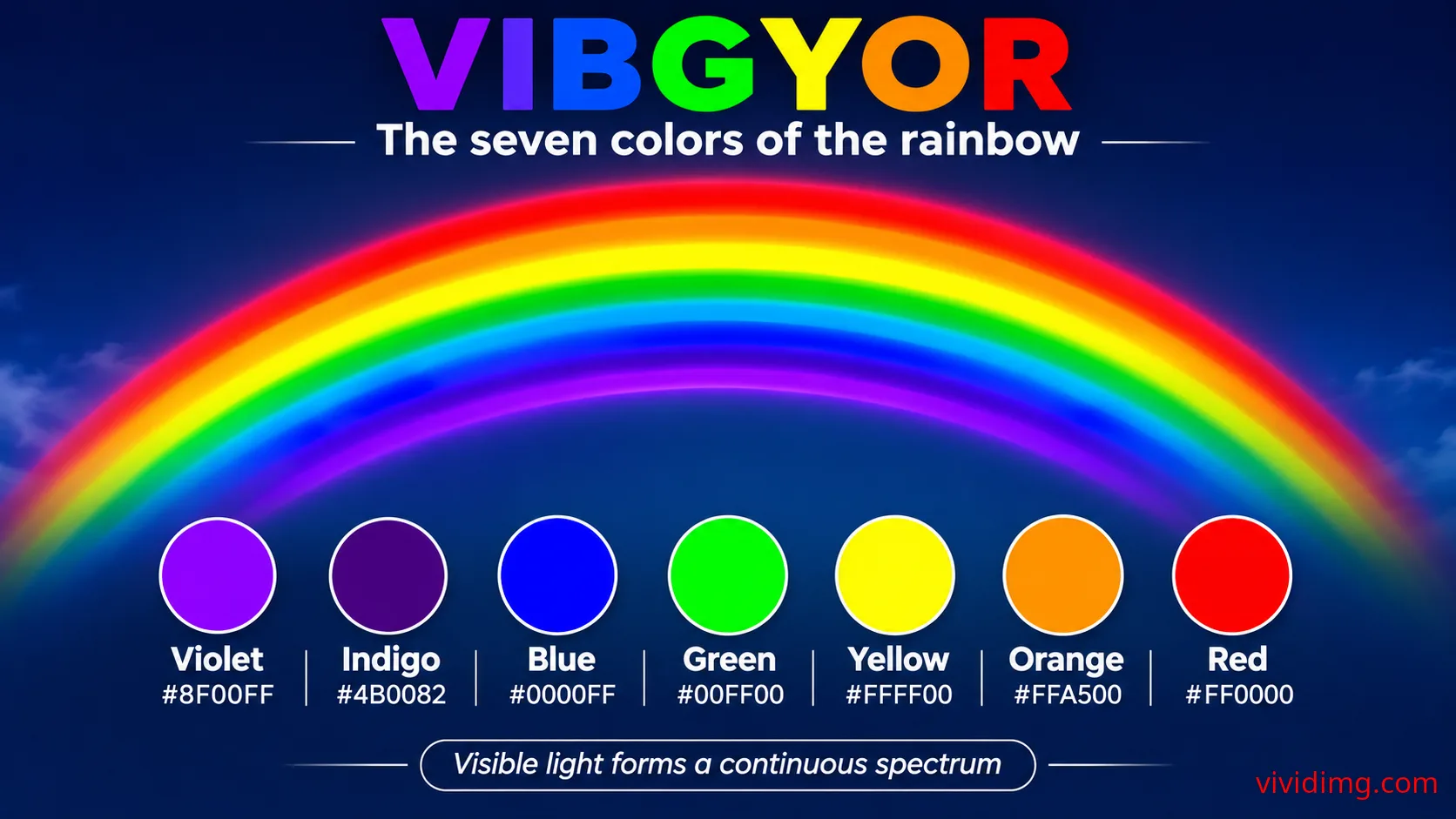
Unlike the seven traditional VIBGYOR rainbow colors, black does not occupy a particular position within the visible spectrum. A perception of black occurs when little or no visible light reaches the eye from a region, relative to the surrounding visual environment.
For example, a dark room may appear black because very little light is available. A black surface under illumination appears dark because it absorbs much of the incident visible light rather than reflecting it toward the observer.
The infographic summarizes this principle with the statement that black is the absence of emitted visible light. This description is particularly relevant to the RGB display model. Physical black materials, however, are generally understood through their low reflectance rather than a complete absence of light.
Black in different display technologies
The appearance of digital black depends partly on display technology. On OLED displays, individual pixels can often be switched off to produce very low light output, resulting in deep blacks and high contrast. On conventional LCD displays, a backlight illuminates the panel, and some light leakage may remain even when pixels are instructed to display black.
Display calibration, ambient lighting, screen reflections, brightness settings, and panel characteristics also affect how black appears. Therefore, the digital code #000000 specifies the intended color value but does not guarantee identical physical black levels on every screen.
Why black is an achromatic color
Chromatic colors possess identifiable hues, such as red, orange, yellow, green, blue, and violet. Achromatic colors lack a defined hue and include black, white, and neutral gray.
Black is therefore classified as a neutral or achromatic color rather than a primary or secondary color in the RGB color model. It is also not created by a particular spectral wavelength.
In traditional painting, artists may create dark mixtures by combining pigments, but the resulting color depends on the pigments and their absorption properties. Many pigment combinations produce dark brown, dark gray, or muted chromatic shades rather than a perfectly neutral black. Dedicated black pigments are commonly used when a strong neutral black is required.
Black color temperature and variations
Pure black #000000 is a neutral digital reference with no chromatic hue. However, many colors described as black contain subtle warm or cool undertones. These variations become especially noticeable when compared with pure black or viewed under different lighting conditions.
Common near-black digital shades include:
Pure black: #000000
Charcoal: #36454F
Onyx: #353839
Jet: #343434
Rich black: #010B13
Raisin black: #242124
Dark slate gray: #2F4F4F
Licorice: #1A1110
These examples belong to the broader family of dark and near-black colors. Unlike pure black, some contain measurable chromatic components that create blue, green, brown, or other subtle undertones.
Warm blacks may contain brownish or reddish influences, while cool blacks may contain blue or green influences. These variations are useful in fashion, interior design, photography, branding, and digital interface design.
Black color psychology and symbolism
Black is frequently associated with sophistication, elegance, authority, power, mystery, formality, and luxury. It is commonly used in premium branding, formal clothing, high-end packaging, and minimalist visual identities.
Black can also communicate seriousness, restraint, strength, and dramatic intensity. In some contexts, it may evoke sadness, mourning, danger, or uncertainty. These associations depend on culture, historical context, personal experience, and the surrounding design.
In visual communication, black can make bright colors appear more prominent through contrast. It also creates a strong sense of structure when used for typography, borders, icons, and backgrounds.
Using black in graphic design and websites
Black is one of the most versatile colors in graphic design. It is frequently used for typography because dark text on a light background can provide excellent readability. Black backgrounds are also common in photography portfolios, entertainment websites, luxury branding, dashboards, presentation designs, and modern digital interfaces.
Black can create a dramatic appearance by reducing visual distractions and emphasizing bright or colorful content. When combined with white, it produces a classic monochrome palette. When paired with gold, silver, or rich accent colors, it can create an elegant and premium visual style.
However, pure black backgrounds are not always the most comfortable choice for every interface. Some designers prefer dark charcoal or near-black surfaces to create softer contrast, particularly for interfaces intended for extended reading. The appropriate choice depends on the content, typography, display conditions, and user preferences.
Black color combinations and matching palettes
Because black is achromatic, it does not have a conventional complementary hue on the color wheel. Instead, black functions as a neutral foundation that can be paired with many colors.
Useful combinations include:
Black and white: #000000 + #FFFFFF — Classic monochrome contrast
Black and gold: #000000 + #D4AF37 — Elegant premium styling
Black and red: #000000 + #DC2626 — Bold dramatic appearance
Black and royal blue: #000000 + #4169E1 — Modern energetic styling
Black and emerald green: #000000 + #50C878 — Refined natural contrast
Black and silver: #000000 + #C0C0C0 — Contemporary metallic appearance
Black and orange: #000000 + #FFA500 — Strong visual emphasis
Black and pink: #000000 + #FF69B4 — Vibrant creative styling
These examples represent visual color pairings rather than physical pigment-mixing equations. Their effectiveness depends on color placement, proportion, contrast, typography, and the intended visual message.
Accessibility and contrast with black backgrounds
Pure black has a relative luminance value of 0.0 in the sRGB color space. When paired with pure white, which has a relative luminance value of 1.0, the resulting contrast ratio is 21:1. This is the maximum contrast ratio defined by the WCAG contrast calculation.
Under WCAG 2.x guidance, normal text generally requires a contrast ratio of at least 4.5:1, while large text generally requires at least 3:1 for AA conformance. White text on a pure black background provides strong numerical contrast, although visual comfort can vary with typography, brightness, and viewing conditions.
Black text on a black background has a contrast ratio of 1:1 and is not distinguishable. Dark gray text on black may also provide insufficient contrast. Designers should verify text, icon, and interface-element contrast rather than relying only on visual appearance.
The infographic demonstrates a high-contrast approach by using white text, white borders, and a black background. The large heading and organized information panel make the technical details easier to identify.
CSS examples for pure black backgrounds
Developers can use pure black in CSS through hexadecimal notation, RGB notation, HSL notation, or the predefined color keyword. The following examples demonstrate practical implementations.
/* Pure black background */
.black-background {
  background-color: #000000;
  color: #FFFFFF;
}

/* Equivalent RGB representation */
.black-rgb {
  background-color: rgb(0, 0, 0);
}

/* CSS color keyword */
.black-keyword {
  background-color: black;
}

/* Reusable CSS variables */
:root {
  --color-black: #000000;
  --color-white: #FFFFFF;
  --color-charcoal: #242424;
}

.dark-page {
  background: var(--color-black);
  color: var(--color-white);
}

/* Softer dark interface */
.dark-card {
  background-color: var(--color-charcoal);
  color: var(--color-white);
}
These examples are useful for website layouts, dark-mode interfaces, digital presentations, dashboards, and graphic design projects. Developers should test their chosen color combinations for readability, accessibility, and compatibility with different displays.
Black in photography, printing and everyday life
In photography, black is essential for creating depth, contrast, shadows, and dramatic compositions. Photographers use black backgrounds to isolate subjects, emphasize highlights, and control visual attention. Exposure, lighting direction, surface reflections, and camera settings influence how dark areas appear in the final image.
In printing, black is commonly represented by the K component of the CMYK color model. The letter K stands for Key, referring to the key plate used in traditional color printing. Standard black ink is widely used for text and fine details, while rich-black formulations may combine multiple inks to create deeper-looking large black areas.
In everyday life, black appears in clothing, electronics, vehicles, furniture, minerals, and numerous natural materials. The perceived appearance of these objects depends on their reflectance, texture, illumination, and surrounding colors.
Understanding the black color infographic
This educational infographic features a solid black background with bright white typography and carefully organized technical information. The large BLACK heading appears near the upper-left corner, followed by a thin white divider and a rounded classification label reading Neutral / achromatic color.
A rounded information panel occupies the lower portion of the image. On the left, a circular black swatch outlined in white identifies the featured color. The central section displays HEX #000000, RGB (0, 0, 0), HSL (0°, 0%, 0%), HSV (0°, 0%, 0%), the neutral color family, and neutral temperature classification.
The right section contains the educational statement Black is the absence of emitted visible light. A supporting explanation states that on RGB screens, black is represented when the red, green, and blue channels are all set to zero.
The design deliberately leaves a large uninterrupted black area visible. This allows the background itself to demonstrate pure black while the white typography and outlines provide clear visual contrast. No unrelated decorative elements are included, keeping the composition focused on the featured color and its technical properties.
Black and white: Understanding opposite ends of the achromatic scale
Black and white represent opposite endpoints of the achromatic RGB scale. Pure black uses RGB (0, 0, 0), while pure white uses RGB (255, 255, 255). Between these endpoints lies a continuous range of neutral gray values.
Black and white are also important for understanding brightness, contrast, luminance, and visual hierarchy. Their relationship provides a foundation for later lessons exploring gray, color saturation, tints, shades, tones, and more advanced color combinations.
Although black and white are sometimes described as opposite colors, they are not complementary hues in the conventional color-wheel sense. Their relationship is based on lightness and luminance rather than hue.
Continue exploring the Color Backgrounds collection
This black color reference is part of the VividImg Color Backgrounds educational collection, which begins with the traditional VIBGYOR rainbow and progresses through individual colors, neutral shades, color families, mixing methods, gradients, textures, and advanced color theory.
Understanding black introduces essential concepts such as the absence of emitted light, achromatic colors, RGB channel values, relative luminance, and visual contrast. Together with white, black establishes the foundation for studying the grayscale spectrum and the relationship between light and darkness.
Explore the Color Backgrounds collection on VividImg to discover educational color references, practical HEX and RGB values, visually appealing backgrounds, and detailed explanations for students, educators, designers, developers, and creative enthusiasts.
Image statistics
Loading statistics…Top 5 countries
— countries reached · all time
Country data will appear as views are recorded.
Daily views
Last 12 months
- —
- Unique visitors
- —
- Card clicks
- —
- Downloads
- —
- Share actions