Shareable Image
Pure white color background with HEX code, RGB values and color meaning
Pure white color background with HEX code, RGB values and color meaning
Pure white color background with HEX code, RGB values and color meaning introduces one of the most fundamental colors used in art, science, photography, digital design, and everyday life. This educational infographic presents a clean white background alongside its technical color specifications, classification, and scientific explanation. White is widely associated with simplicity, cleanliness, clarity, openness, and minimalism. Although it may appear visually simple, understanding white provides an important foundation for learning how light, color perception, digital displays, and design systems work.
The image features a predominantly pure white background with elegant dark navy typography and a carefully organized information panel along the bottom. The heading WHITE identifies the featured color, while the label Neutral / achromatic color explains its classification. A circular white swatch, technical color values, and two educational statements help viewers understand how white is represented digitally and how white light relates to the visible spectrum.
What is white?
White is an achromatic color, meaning it has no perceived hue or chromatic saturation in the conventional color classification system. It belongs to the neutral color family alongside black and gray. In digital RGB color representation, pure white occurs when red, green, and blue channels are all set to their maximum values. In the commonly used 8-bit RGB representation, this produces RGB (255, 255, 255), corresponding to the hexadecimal code #FFFFFF.
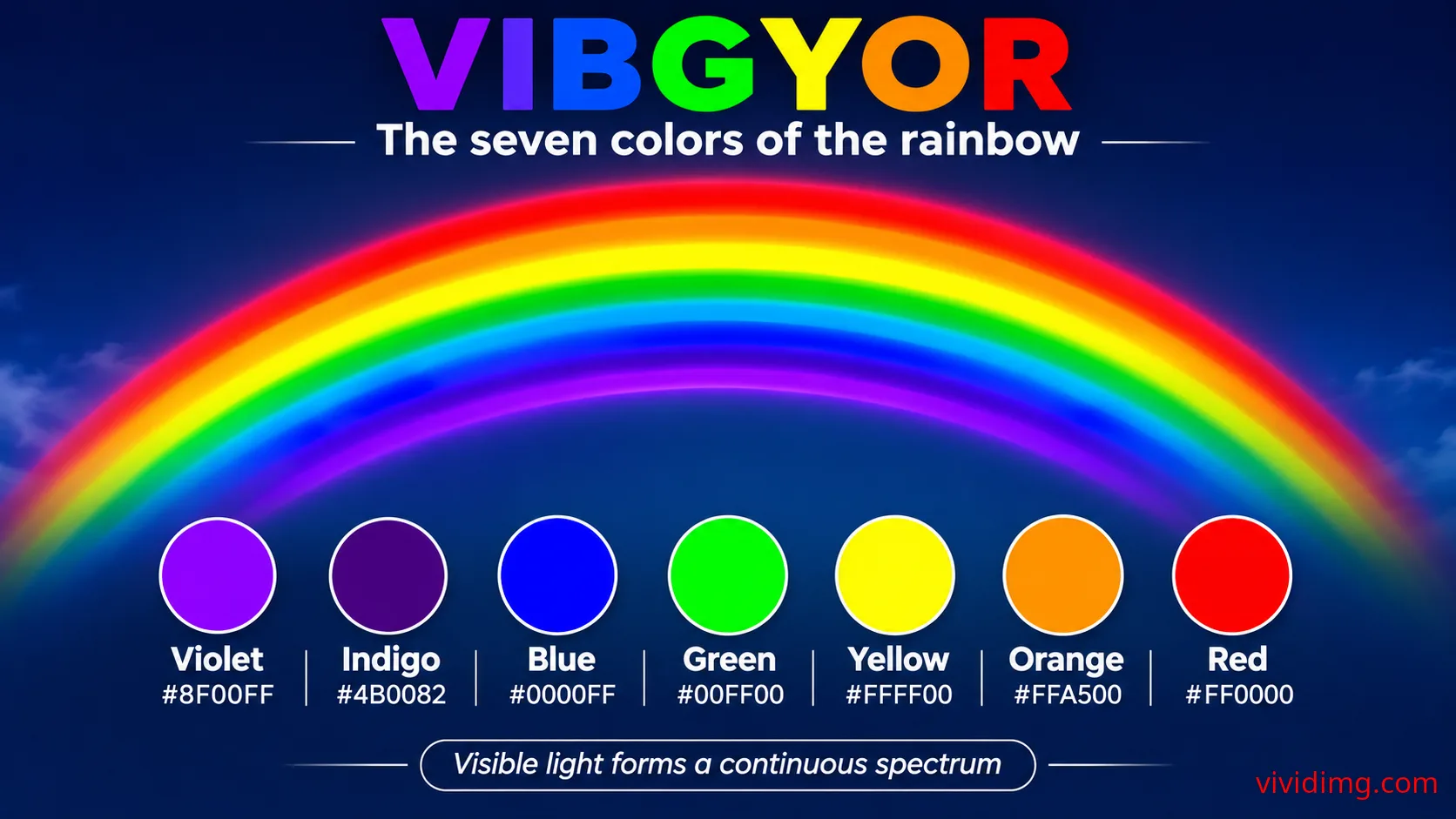
White is also closely connected with the science of light. Sunlight appears approximately white under many viewing conditions because it contains a broad distribution of visible wavelengths. A prism can disperse white light into a continuous spectrum of colors, revealing the same fundamental phenomenon introduced through the VIBGYOR rainbow. However, white light does not always need to contain every visible wavelength. Different combinations of wavelengths can produce the perception of white, depending on their relative intensities and the observer's visual system.
White color technical specifications
Color name: White
HEX code: #FFFFFF
RGB: (255, 255, 255)
HSL: (0°, 0%, 100%)
HSV / HSB: (0°, 0%, 100%)
CMYK: Approximately (0%, 0%, 0%, 0%)
Color family: Neutral
Color classification: Achromatic
Color temperature: Neutral for this reference color
Digital brightness: Maximum RGB channel values
Relative luminance: 1.0 in the sRGB color space
Common CSS color name: white
The hue value of 0° in the HSL and HSV representations is a conventional numerical placeholder. Because white has zero saturation, its hue is mathematically undefined. Some software tools display 0° for convenience, but this does not mean white has a red hue.
The approximate CMYK value of 0%, 0%, 0%, 0% represents the absence of process ink on a white printing substrate. Actual printed white depends on the paper or material used. Printing white on transparent, colored, or dark surfaces may require a dedicated white ink or another specialized printing process.
Understanding the HEX code #FFFFFF
HEX color codes are widely used in web development, graphic design, and digital applications. A standard six-digit hexadecimal color code contains three pairs of characters representing the red, green, and blue channels. Each pair ranges from 00 to FF, equivalent to decimal values from 0 to 255.
For pure white, all three channels use FF, their maximum hexadecimal value. The first FF represents red, the second FF represents green, and the third FF represents blue. When all three channels are displayed at full intensity on a typical additive RGB display, the resulting color is white.
Pure white can be represented using the CSS keyword white, the hexadecimal value #FFFFFF, the shorthand hexadecimal value #FFF, or the RGB function rgb(255, 255, 255). These representations describe the same nominal sRGB color.
How white is created in RGB displays
RGB stands for Red, Green, and Blue. It is an additive color model used by computer monitors, smartphones, televisions, and many other electronic displays. The word additive means that light from different color channels is combined to produce the final perceived color.
When red, green, and blue light are combined at suitable full-intensity levels on a properly calibrated RGB display, the viewer perceives white. When all three RGB channels are set to zero, the intended output is black. Intermediate equal RGB values create different shades of neutral gray.
For example:
Black: #000000 — RGB (0, 0, 0)
Dark gray: #404040 — RGB (64, 64, 64)
Medium gray: #808080 — RGB (128, 128, 128)
Light gray: #D3D3D3 — RGB (211, 211, 211)
White: #FFFFFF — RGB (255, 255, 255)
This progression demonstrates how equal RGB channel values can create an achromatic scale from black to white. Because standard sRGB values are gamma encoded, equal numerical steps do not produce equal steps in physical light output or perceived brightness.
White light and the visible spectrum
White light plays an important role in understanding the visible spectrum. Visible light is electromagnetic radiation that human eyes can detect, commonly described as occupying wavelengths of approximately 380 to 700 nanometers. Different spectral distributions stimulate the human visual system in different ways, producing perceptions of color.
When sunlight passes through a prism, refraction and dispersion separate different wavelengths into a continuous spectrum. The resulting colors are commonly described using the traditional VIBGYOR sequence: Violet, Indigo, Blue, Green, Yellow, Orange, and Red.
The educational statement in this image explains that white light contains a range of visible wavelengths. This is an accurate description of ordinary broadband white light, such as sunlight. However, the perception of white can also be produced by combinations of selected wavelengths. This principle is used in RGB displays, where three types of colored light can create a white appearance without reproducing the complete spectrum of sunlight.
Why white is classified as an achromatic color
Chromatic colors have an identifiable hue, such as red, yellow, green, or blue. Achromatic colors have no identifiable hue and include black, white, and neutral grays. White is therefore considered an achromatic or neutral color rather than a primary or secondary color in standard color models.
In an RGB color system, white is created through the combination of the three primary light channels. In painting, white is commonly supplied as a separate pigment because combining ordinary colored paints does not create pure white. In printing, the appearance of white is frequently provided by the unprinted paper itself.
These differences demonstrate why color classifications must be understood within their specific physical or digital context.
White color temperature and variations
Pure white #FFFFFF is represented as a neutral digital reference. However, not every white surface or light source appears equally neutral. Some whites have warm yellowish or reddish undertones, while others have cool bluish undertones.
Warm white is commonly used in comfortable interior environments, traditional design, and soft lighting. Cool white is often associated with modern interiors, clinical spaces, and certain display or lighting environments. Neutral white aims to avoid an obvious warm or cool color cast.
In lighting technology, correlated color temperature is expressed in kelvin. Lower values, such as approximately 2700 K, generally describe warmer-looking white light, while higher values, such as approximately 6500 K, generally describe cooler-looking daylight-style illumination. These values describe light-source appearance and should not be confused with the fixed digital HEX value #FFFFFF.
Common near-white digital shades include:
Snow: #FFFAFA
Ivory: #FFFFF0
Floral white: #FFFAF0
Ghost white: #F8F8FF
White smoke: #F5F5F5
Antique white: #FAEBD7
Seashell: #FFF5EE
These examples demonstrate that white is also a broad design family containing subtle variations. Each variation introduces a different balance of warmth, coolness, or softness.
White color psychology and symbolism
White is commonly associated with simplicity, cleanliness, peace, clarity, openness, and new beginnings. It is frequently used to create a feeling of spaciousness and visual calm. In minimalist design, white backgrounds help reduce visual distractions and emphasize important content.
White is also associated with purity and celebration in some cultural contexts. In other traditions, it can be associated with mourning or remembrance. These meanings are not universal, and cultural context should always be considered when interpreting color symbolism.
In professional design, white can communicate precision, elegance, and simplicity. However, excessive use of white without sufficient contrast, hierarchy, or visual structure can make a composition feel empty or difficult to navigate.
Using white in graphic design and websites
White is one of the most widely used background colors in digital design. It creates a neutral surface that allows photographs, illustrations, typography, buttons, and interface elements to stand out. White backgrounds are especially useful for product photography, educational diagrams, online stores, portfolios, documents, and modern user interfaces.
In web design, white space refers to the empty space surrounding elements. It does not necessarily need to be white in color. Proper use of white space improves readability, grouping, visual hierarchy, and the overall browsing experience.
White also pairs effectively with dark navy, charcoal, black, blue, green, red, and many other colors. The best pairing depends on the desired mood, branding requirements, and accessibility considerations.
White color combinations and complementary relationships
Because white is achromatic, it does not have a conventional complementary hue on the color wheel. Instead, white acts as a neutral foundation that can be combined with almost any chromatic color.
Useful digital combinations include:
White and black: #FFFFFF + #000000 — High-contrast monochrome design
White and navy: #FFFFFF + #001F3F — Professional and elegant appearance
White and blue: #FFFFFF + #2563EB — Clean modern interface
White and green: #FFFFFF + #228B22 — Fresh natural appearance
White and red: #FFFFFF + #DC2626 — Strong visual emphasis
White and gold: #FFFFFF + #D4AF37 — Refined decorative appearance
White and light gray: #FFFFFF + #E5E7EB — Soft minimalist composition
These are visual palette pairings rather than physical color-mixing equations. Their suitability depends on how the colors are used together and whether text and interface elements remain readable.
Accessibility and contrast with white backgrounds
White has the maximum relative luminance value of 1.0 in the sRGB color space. Pure black #000000 has a relative luminance value of 0.0, creating a maximum contrast ratio of 21:1 when paired with white.
Under WCAG 2.x contrast criteria, normal text generally requires a minimum contrast ratio of 4.5:1, while large text generally requires at least 3:1 at the AA level. White backgrounds are therefore well suited to dark text, provided the chosen text color meets the relevant contrast requirement.
White text on a white background has a contrast ratio of 1:1 and is not visually distinguishable. Similarly, very light gray text on white may be difficult to read. Designers should use appropriate contrast checking tools when selecting text, icons, borders, and interactive elements.
The infographic demonstrates this principle by using dark navy text and outlines against the white background. These elements create a strong visual distinction while preserving the clean appearance of the featured color.
CSS examples for pure white backgrounds
Developers can use pure white in CSS through hexadecimal notation, RGB notation, or the predefined color keyword. The following examples demonstrate common approaches.
/* Pure white background */
.white-background {
  background-color: #FFFFFF;
  color: #000000;
}

/* Equivalent RGB representation */
.white-rgb {
  background-color: rgb(255, 255, 255);
}

/* CSS color keyword */
.white-keyword {
  background-color: white;
}

/* Reusable CSS variable */
:root {
  --color-white: #FFFFFF;
  --color-text: #001F3F;
}

.page {
  background: var(--color-white);
  color: var(--color-text);
}
These examples can be used in website layouts, application interfaces, educational projects, and digital design experiments. Developers should also consider user preferences, dark-mode compatibility, and accessibility requirements when implementing background colors.
White in photography, printing and everyday life
White backgrounds are widely used in product photography because they create a clean environment that directs attention toward the subject. However, photographers must manage exposure, lighting, reflections, and white balance carefully to prevent unwanted color casts or loss of detail.
In printing, the appearance of white depends on the substrate. Standard CMYK printing commonly relies on white paper to provide the white areas of a design. Specialty printing on transparent or colored materials may use dedicated white ink.
In nature and everyday life, white appears in clouds, snow, flowers, minerals, textiles, and many other objects. These materials do not necessarily reflect all wavelengths equally. Their perceived whiteness depends on illumination, reflectance, surface properties, and human visual adaptation.
Understanding the white color infographic
This educational image uses a clean white canvas with dark navy accents to demonstrate the appearance of pure white. The large WHITE heading identifies the featured color, while the Neutral / achromatic color label explains its classification.
The lower information panel contains a circular white color swatch and a technical specification table displaying HEX #FFFFFF, RGB (255, 255, 255), HSL (0°, 0%, 100%), HSV (0°, 0%, 100%), the neutral color family, and neutral temperature classification.
An educational explanation states that white light contains a range of visible wavelengths. A supporting statement explains that RGB screens produce white by combining red, green, and blue light at full intensity. Together, these details connect the physical science of white light with the digital representation of white.
The minimalist layout intentionally leaves a large uninterrupted white area visible, allowing viewers to appreciate the color itself while keeping the technical information organized near the bottom. The dark typography, outlined circular swatch, and bordered information panel provide structure without introducing unnecessary decorative elements.
Continue exploring the Color Backgrounds collection
This white color reference forms part of the VividImg educational Color Backgrounds collection, which begins with the seven traditional VIBGYOR rainbow colors and progresses through fundamental color concepts, individual colors, shades, tints, tones, mixing methods, gradients, textures, and advanced color theory.
Understanding white is an important step because it introduces achromatic colors, additive light mixing, neutral backgrounds, color perception, and digital color representation. These concepts will support future lessons exploring black, gray, rainbow colors, color relationships, and more advanced combinations.
Explore the Color Backgrounds collection on VividImg to discover visually engaging educational backgrounds, practical color codes, creative inspiration, and detailed explanations designed for students, teachers, designers, developers, and color enthusiasts.
Image statistics
Loading statistics…Top 5 countries
— countries reached · all time
Country data will appear as views are recorded.
Daily views
Last 12 months
- —
- Unique visitors
- —
- Card clicks
- —
- Downloads
- —
- Share actions