Shareable Image
Medium gray color background with HEX code, RGB values and color meaning
Medium gray color background with HEX code, RGB values and color meaning
Medium gray color background with HEX code, RGB values and color meaning introduces one of the most useful neutral colors in digital design, photography, visual communication, and color education. Represented by the hexadecimal code #808080, this medium gray combines equal red, green, and blue channel values to produce an achromatic appearance. Its balanced, understated character makes it useful for minimalist backgrounds, interface elements, presentation designs, typography systems, and professional visual compositions.
This educational infographic features a predominantly medium-gray background, a large white GRAY heading, and a dark navy classification label reading Neutral / achromatic color. A rounded information panel near the bottom displays a circular gray swatch, technical color specifications, and the explanation that gray lies between black and white on the achromatic scale. The spacious composition allows viewers to appreciate the featured color while learning about its scientific and digital properties.
What is gray?
Gray, also spelled grey in British English, is an achromatic color that lies between black and white in perceived lightness. Achromatic colors have no identifiable chromatic hue and include black, white, and neutral grays. Gray can appear light, medium, or dark depending on its luminance and surrounding colors.
In the RGB color model, neutral gray is produced when red, green, and blue channels have equal values. Pure black uses RGB (0, 0, 0), pure white uses RGB (255, 255, 255), and medium gray #808080 uses RGB (128, 128, 128).
Although gray is often described as a mixture of black and white, the exact interpretation depends on whether the discussion concerns digital light, physical pigments, printing, or human color perception. In digital systems, equal RGB channel values create neutral gray. In traditional painting, mixing black and white pigments can produce gray, although the result depends on the pigments and materials used.
Medium gray technical color specifications
Color name: Medium gray
Alternative spelling: Medium grey
HEX code: #808080
RGB: (128, 128, 128)
HSL: (0°, 0%, 50.2%)
HSV / HSB: (0°, 0%, 50.2%)
CMYK: Approximately (0%, 0%, 0%, 49.8%) using a simplified conversion
Color family: Neutral
Color classification: Achromatic
Color temperature: Neutral
RGB channel equality: R = G = B
Relative luminance: Approximately 0.216 in sRGB
Common CSS color name: gray
The hue value of 0° in HSL and HSV is a conventional placeholder. Since neutral gray has zero saturation, its hue is mathematically undefined. The value does not indicate that gray belongs to the red color family.
The CMYK percentage is an approximate mathematical conversion rather than a guaranteed printing specification. Actual CMYK values depend on the printer, ink, paper, color profile, and black-generation settings.
Understanding the HEX code #808080
Hexadecimal color notation represents digital RGB values using six hexadecimal digits. The first pair specifies red, the second specifies green, and the third specifies blue. Each pair ranges from 00 to FF, corresponding to decimal values from 0 to 255.
For medium gray, the HEX code #808080 contains three identical pairs. Hexadecimal 80 equals decimal 128, meaning the red, green, and blue channels all have a value of 128.
Equivalent digital representations include:
HEX: #808080
RGB: rgb(128, 128, 128)
HSL: hsl(0, 0%, 50.2%)
HSV: approximately (0°, 0%, 50.2%)
CSS keyword: gray
The CSS color keyword gray corresponds to #808080. However, the CSS keyword grey is also supported and represents the same color. This makes medium gray convenient for web development and graphic design applications.
Why equal RGB values produce gray
RGB stands for Red, Green, and Blue. It is an additive color model used by computer monitors, smartphones, televisions, and many other digital displays. Different combinations of these channels produce different colors.
When all three RGB values are equal, the resulting nominal sRGB color is achromatic. Increasing the equal channel values moves the color from black toward white, while decreasing them moves it toward black.
Examples of neutral RGB colors include:
Black: #000000 — RGB (0, 0, 0)
Very dark gray: #202020 — RGB (32, 32, 32)
Dark gray: #404040 — RGB (64, 64, 64)
Medium gray: #808080 — RGB (128, 128, 128)
Silver: #C0C0C0 — RGB (192, 192, 192)
Light gray: #D3D3D3 — RGB (211, 211, 211)
White: #FFFFFF — RGB (255, 255, 255)
This progression illustrates the digital grayscale. The RGB channels remain equal while the overall lightness changes.
Understanding the achromatic scale
The achromatic scale represents a continuous progression from black through different gray levels to white. Unlike a traditional color wheel, which organizes colors by hue, the achromatic scale organizes neutral colors by their lightness or brightness.
Black represents the darkest endpoint, white represents the lightest endpoint, and gray occupies the intermediate region. Medium gray #808080 is approximately halfway between black and white in encoded 8-bit RGB channel values.
However, it is important to distinguish numerical RGB values from physical luminance and human perception. Standard sRGB uses nonlinear encoding. Therefore, RGB (128, 128, 128) does not represent exactly half the physical luminance of white. Its relative luminance is approximately 0.216, or 21.6% of the reference white luminance.
This distinction is important in photography, color management, image processing, accessibility, and professional digital design.
Gray in HSL and HSV color models
HSL stands for Hue, Saturation, and Lightness. HSV stands for Hue, Saturation, and Value, also commonly called HSB for Hue, Saturation, and Brightness.
For medium gray #808080, both HSL and HSV use zero saturation because the color has no chromatic hue. The lightness and value components are approximately 50.2%.
In HSL, lightness describes the position between black and white within the HSL model. In HSV, value describes the maximum normalized RGB channel. For neutral gray, these numerical values are equal because all three RGB channels are identical.
Although HSL and HSV are useful for manipulating digital colors, they are not perceptually uniform color spaces. Equal numerical adjustments do not necessarily produce equal perceived changes in brightness or lightness.
Gray color temperature and undertones
Pure neutral gray #808080 has equal RGB channel values and no chromatic undertone. It is therefore classified as a neutral color temperature reference.
However, many colors described as gray contain subtle warm or cool influences. Warm grays may include small amounts of red, yellow, or brown, while cool grays may include blue, green, or violet influences.
Examples of gray-related digital colors include:
Medium gray: #808080
Light gray: #D3D3D3
Dark gray: #A9A9A9
Dim gray: #696969
Slate gray: #708090
Light slate gray: #778899
Silver: #C0C0C0
Charcoal: #36454F
Gainsboro: #DCDCDC
White smoke: #F5F5F5
These named colors illustrate the variety of gray shades available in digital design. Some are perfectly neutral, while others have measurable chromatic undertones.
Gray color psychology and meaning
Gray is commonly associated with balance, neutrality, professionalism, stability, maturity, sophistication, and restraint. It is frequently used in corporate branding, technology interfaces, architectural design, and minimalist visual identities.
Because gray is less visually dominant than highly saturated colors, it can help create calm and organized compositions. It also provides a neutral foundation that allows accent colors, photographs, and illustrations to receive greater attention.
In some contexts, gray may be associated with seriousness, uncertainty, dullness, or emotional distance. These interpretations depend on culture, context, surrounding colors, and individual experience. Color psychology should therefore be treated as a collection of common associations rather than universal rules.
Using gray in web design and user interfaces
Gray is one of the most frequently used colors in modern user interface design. It appears in navigation bars, borders, backgrounds, cards, disabled controls, secondary text, dividers, and layout surfaces.
Light gray backgrounds can provide subtle separation between sections without introducing strong color contrast. Dark gray surfaces are commonly used in dark-mode applications, while medium gray may be used for decorative elements or secondary interface components when sufficient contrast is maintained.
Gray is also useful in dashboard design because it creates a neutral visual environment for charts, tables, status indicators, and colorful data visualizations. However, designers should avoid using color alone to communicate disabled states, errors, or other essential information.
Gray color combinations and matching palettes
Gray is an achromatic color and does not have a conventional complementary hue on the color wheel. Instead, it can be combined with a wide variety of chromatic colors to create balanced palettes.
Useful combinations include:
Gray and white: #808080 + #FFFFFF — Clean minimalist appearance
Gray and black: #808080 + #000000 — Modern monochrome styling
Gray and navy: #808080 + #001F3F — Professional corporate design
Gray and blue: #808080 + #2563EB — Contemporary technology palette
Gray and yellow: #808080 + #FFD700 — Energetic accent combination
Gray and orange: #808080 + #FFA500 — Warm industrial styling
Gray and green: #808080 + #228B22 — Balanced natural appearance
Gray and pink: #808080 + #FFC0CB — Soft creative palette
Gray and purple: #808080 + #800080 — Elegant artistic contrast
These combinations are intended as visual design references rather than physical pigment-mixing formulas. Their effectiveness depends on proportions, typography, contrast, and the intended application.
Gray and accessibility: Understanding contrast
Accessibility is an important consideration when using gray in websites and applications. Under WCAG 2.x contrast guidelines, normal text generally requires a minimum contrast ratio of 4.5:1, while large text generally requires at least 3:1 for AA conformance.
Medium gray #808080 has an approximate contrast ratio of 3.95:1 against pure white #FFFFFF. This means it does not meet the WCAG AA minimum for normal-sized text on white, although it exceeds the 3:1 threshold used for large text.
Against pure black #000000, medium gray #808080 has an approximate contrast ratio of 5.32:1. This combination meets the WCAG AA contrast requirement for normal-sized text.
These examples demonstrate why medium gray should not automatically be considered accessible for every text application. Designers should verify actual foreground and background combinations, text sizes, and relevant accessibility requirements.
Gray in photography and image processing
Gray plays an important role in photography, exposure control, image editing, and color calibration. Photographers frequently use neutral gray cards to establish reference exposure or white balance under controlled lighting conditions.
Traditional photographic exposure meters are often associated with an approximately 18% reflectance reference. However, an 18% reflectance gray card should not be confused with the digital RGB value #808080. Reflectance, scene exposure, encoded pixel values, and display luminance describe different quantities.
Grayscale images represent visual information using variations in lightness rather than chromatic hue. Such images are commonly used in photography, medical imaging, document processing, artistic compositions, and computer vision applications.
Converting a color image to grayscale requires more than simply averaging the red, green, and blue channels if accurate luminance representation is desired. Color-managed conversions account for the different contributions of RGB channels and their transfer functions.
Gray in printing and physical materials
In printing, gray can be produced using black ink, combinations of process inks, or specialized gray inks. The appropriate method depends on the printing system, substrate, and desired visual result.
A simplified RGB-to-CMYK conversion for #808080 produces approximately 49.8% black with zero cyan, magenta, and yellow. However, real printing profiles may use different ink combinations to maintain neutral appearance, control ink coverage, and improve tonal reproduction.
In everyday life, gray appears in stone, concrete, metal, clouds, textiles, furniture, architecture, and numerous natural surfaces. The perceived shade depends on lighting, material reflectance, texture, and surrounding colors.
CSS examples for medium gray backgrounds
Web developers can reproduce medium gray using hexadecimal notation, RGB values, HSL values, or the predefined CSS color keyword.
/* Medium gray background */
.gray-background {
  background-color: #808080;
}

/* Equivalent RGB representation */
.gray-rgb {
  background-color: rgb(128, 128, 128);
}

/* Equivalent HSL representation */
.gray-hsl {
  background-color: hsl(0, 0%, 50.2%);
}

/* CSS named colors */
.gray-keyword {
  background-color: gray;
}

.grey-keyword {
  background-color: grey;
}

/* Reusable color variables */
:root {
  --color-gray: #808080;
  --color-light-gray: #D3D3D3;
  --color-dark-gray: #404040;
  --color-black: #000000;
  --color-white: #FFFFFF;
}

.neutral-panel {
  background-color: var(--color-gray);
  color: var(--color-black);
}
These examples provide practical starting points for website backgrounds, interface components, educational projects, and digital design experiments. For text-heavy interfaces, foreground and background colors should be checked against applicable accessibility standards.
Understanding the medium gray infographic
The educational image uses a medium-gray background to demonstrate the appearance of #808080. A large white GRAY heading appears near the upper-left corner, followed by a thin white underline and a dark navy classification label reading Neutral / achromatic color.
A dark navy rounded information panel occupies the lower-left and central portion of the composition. Inside the panel, a circular medium-gray swatch outlined in white identifies the featured color.
The technical information section displays HEX #808080, RGB (128, 128, 128), HSL (0°, 0%, 50.2%), HSV (0°, 0%, 50.2%), the neutral color family, and neutral temperature classification.
A bordered educational statement explains that gray lies between black and white on the achromatic scale. This statement connects the current color with the previously introduced white and black references, helping viewers understand how neutral colors relate to one another.
The design intentionally preserves a large uninterrupted gray background area. This allows viewers to observe the featured shade directly while the technical information remains clearly organized. The navy and white accents provide a structured, professional presentation without overwhelming the primary color.
Gray as the connection between black and white
White, black, and gray form the foundation of the achromatic color family. White represents the maximum nominal RGB channel values, black represents zero channel values, and gray occupies intermediate positions along the grayscale.
Understanding these three colors introduces essential concepts such as brightness, lightness, saturation, luminance, contrast, and neutral color representation. These concepts provide the foundation for exploring chromatic colors, including violet, indigo, blue, green, yellow, orange, and red.
As color education progresses, the relationship between black, white, and gray becomes especially important for understanding tints, shades, tones, color contrast, and more advanced digital color systems.
Continue exploring the Color Backgrounds collection
This medium gray reference is part of the VividImg Color Backgrounds educational collection, a progressive learning resource covering individual colors, their technical values, color relationships, mixing methods, gradients, textures, and advanced color theory.
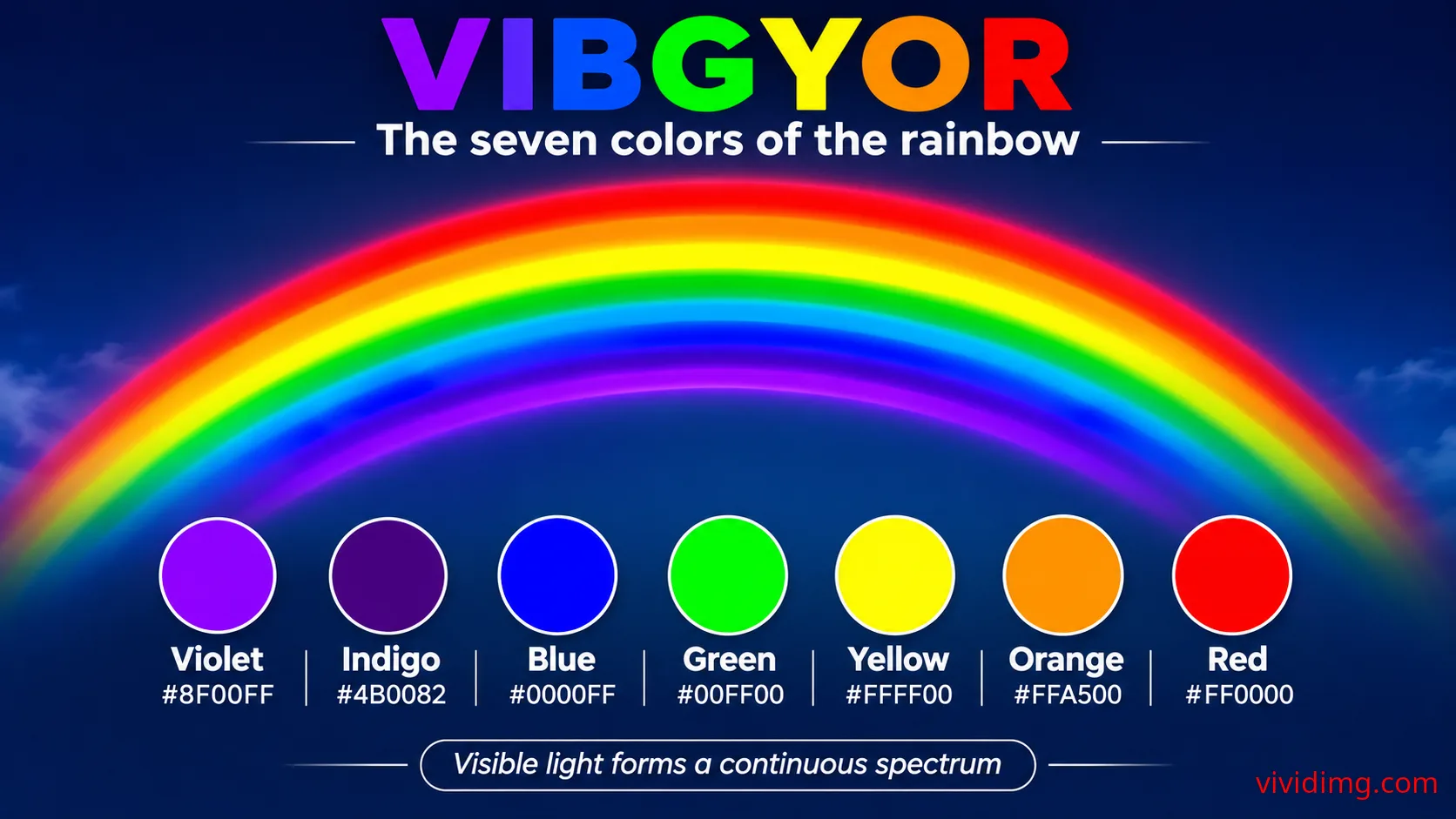
The collection begins with an introduction to the seven traditional VIBGYOR rainbow colors, followed by foundational neutral colors such as white, black, and gray. Future lessons explore chromatic colors, variations in lightness and saturation, complementary palettes, digital color mixing, and creative background compositions.
Explore the Color Backgrounds collection on VividImg to discover educational color references, accurate digital color codes, beautiful downloadable backgrounds, and practical information for students, teachers, designers, developers, photographers, and creative enthusiasts.
Image statistics
Loading statistics…Top 5 countries
— countries reached · all time
Country data will appear as views are recorded.
Daily views
Last 12 months
- —
- Unique visitors
- —
- Card clicks
- —
- Downloads
- —
- Share actions