Shareable Image
Pure cyan color background with HEX code, RGB values and color meaning
Pure cyan color background with HEX code, RGB values and color meaning
Pure cyan color background with HEX code, RGB values and color meaning explores one of the most vibrant and important colors in digital color theory. Represented by the hexadecimal code #00FFFF, pure cyan is a fully saturated color produced by combining green and blue light at maximum intensity in the RGB color model. Cyan is widely associated with freshness, clarity, water, technology, cleanliness, communication, creativity, and modern design. Its bright blue-green appearance makes it valuable in educational graphics, websites, digital illustrations, presentations, photography, and visual communication.
This educational infographic features a vivid cyan background with a large dark navy CYAN heading, an RGB secondary color classification, and a cool color family label. A dark navy information panel displays a circular cyan swatch, HEX and RGB values, HSL and HSV specifications, color family information, and an explanation of cyan's role in additive RGB light mixing.
Cyan is especially important in color education because it is a secondary color in additive RGB light mixing and a primary colorant in the subtractive CMY and CMYK printing systems. Understanding these relationships helps explain how digital screens display colors and how printing technologies reproduce images using inks.
What is cyan?
Cyan is a chromatic color positioned between green and blue on the conventional RGB-derived color wheel. It is generally classified as a cool color because of its visual relationship with blue, turquoise, water, and cool-toned environments.
The specific cyan featured in this infographic is #00FFFF, also known as pure cyan or aqua in CSS color naming. It represents zero red intensity with maximum green and blue channel values in the standard RGB color model.
Cyan is a secondary additive RGB color because it is produced by combining green and blue light. It is also one of the three primary colorants in the simplified CMY subtractive color model.
Unlike the traditional spectral colors such as green or blue, the exact digital cyan #00FFFF does not correspond to one unique wavelength of visible light. Its appearance on an RGB display results from combining light emitted by the green and blue display primaries.
Pure cyan technical color specifications
Color name: Cyan
Reference shade: Pure cyan / RGB cyan
HEX code: #00FFFF
RGB: (0, 255, 255)
HSL: (180°, 100%, 50%)
HSV / HSB: (180°, 100%, 100%)
CMYK: Approximately (100%, 0%, 0%, 0%) using a simplified mathematical conversion
Color family: Cyan / blue-green
Color classification: Chromatic color
Color temperature: Cool
RGB color model: Secondary additive color
CMY color model: Primary subtractive colorant
HSL hue angle: 180°
HSL saturation: 100%
HSL lightness: 50%
HSV value: 100%
Relative luminance: Approximately 0.7874 in sRGB
Reference color space: sRGB
CSS color keywords: cyan and aqua
These technical specifications describe the specific digital color #00FFFF rather than every shade of cyan. The CMYK representation is a theoretical approximation. Actual printed cyan depends on the ink formulation, printer, paper, printing conditions, and color-management profile.
Understanding the cyan HEX code #00FFFF
Hexadecimal color notation is widely used in web development, graphic design, image editing, and digital applications. A standard six-digit HEX color code contains three pairs of hexadecimal characters representing red, green, and blue channel intensities.
Each channel ranges from hexadecimal 00 to FF, corresponding to decimal values from 0 to 255.
In #00FFFF, the first 00 represents red at zero, the second FF represents green at its maximum value of 255, and the final FF represents blue at its maximum value of 255.
This combination produces a bright, fully saturated cyan.
Equivalent digital representations include:
HEX: #00FFFF
Short HEX: #0FF
RGB: rgb(0, 255, 255)
HSL: hsl(180, 100%, 50%)
HSV: (180°, 100%, 100%)
CSS keyword: cyan
Alternative CSS keyword: aqua
Both cyan and aqua are valid CSS color keywords representing #00FFFF. This makes the color convenient for developers creating consistent web interfaces and educational color references.
How green and blue light create cyan
RGB stands for Red, Green, and Blue. It is an additive color model used by computer monitors, smartphones, televisions, projectors, and many other electronic displays.
In additive color mixing, red, green, and blue light combine at different intensities to produce a broad range of perceived colors.
Cyan is created when green and blue light are combined at suitable maximum intensities while the red channel remains at zero.
Important additive RGB combinations include:
Green + Blue = Cyan
Red + Green = Yellow
Red + Blue = Magenta
Red + Green + Blue at maximum intensity = White
All RGB channels at zero = Black
The featured cyan #00FFFF uses green at 255 and blue at 255, with red at zero.
The infographic highlights this relationship with the explanation that cyan is a secondary color of RGB light and that RGB screens create cyan by combining green and blue light.
Why cyan is important in CMYK printing
CMYK stands for Cyan, Magenta, Yellow, and Key, with Key generally representing black ink. It is a widely used color model in commercial printing.
Cyan is one of the three primary subtractive colorants in the simplified CMY model. Cyan ink absorbs substantial portions of red light while reflecting or transmitting relatively more green and blue wavelengths.
In an idealized subtractive model, combining cyan and yellow colorants produces green, while combining cyan and magenta produces blue.
Actual ink mixing is more complex because real printing inks have imperfect absorption characteristics and interact with paper, illumination, and other materials.
The simplified theoretical CMYK representation of pure RGB cyan #00FFFF is approximately (100%, 0%, 0%, 0%). However, this does not guarantee an exact visual match when printed.
The bright cyan displayed on an RGB screen may be outside the reproducible color gamut of some conventional printing systems.
Cyan and the visible light spectrum
Visible light is electromagnetic radiation detectable by the human visual system. The visible spectrum is commonly described as extending approximately from 380 to 700 nanometers, although the exact boundaries depend on observing conditions and individual sensitivity.
Cyan is a blue-green color sensation. Some blue-green spectral wavelengths can produce cyan-like appearances, but the exact RGB cyan #00FFFF should not be assigned one fixed wavelength.
An RGB display creates cyan through the combined output of its green and blue light primaries. This mixture can produce a cyan sensation even though the emitted light does not consist of one monochromatic cyan wavelength.
This demonstrates an important principle of human color vision: different spectral distributions can produce similar perceived colors.
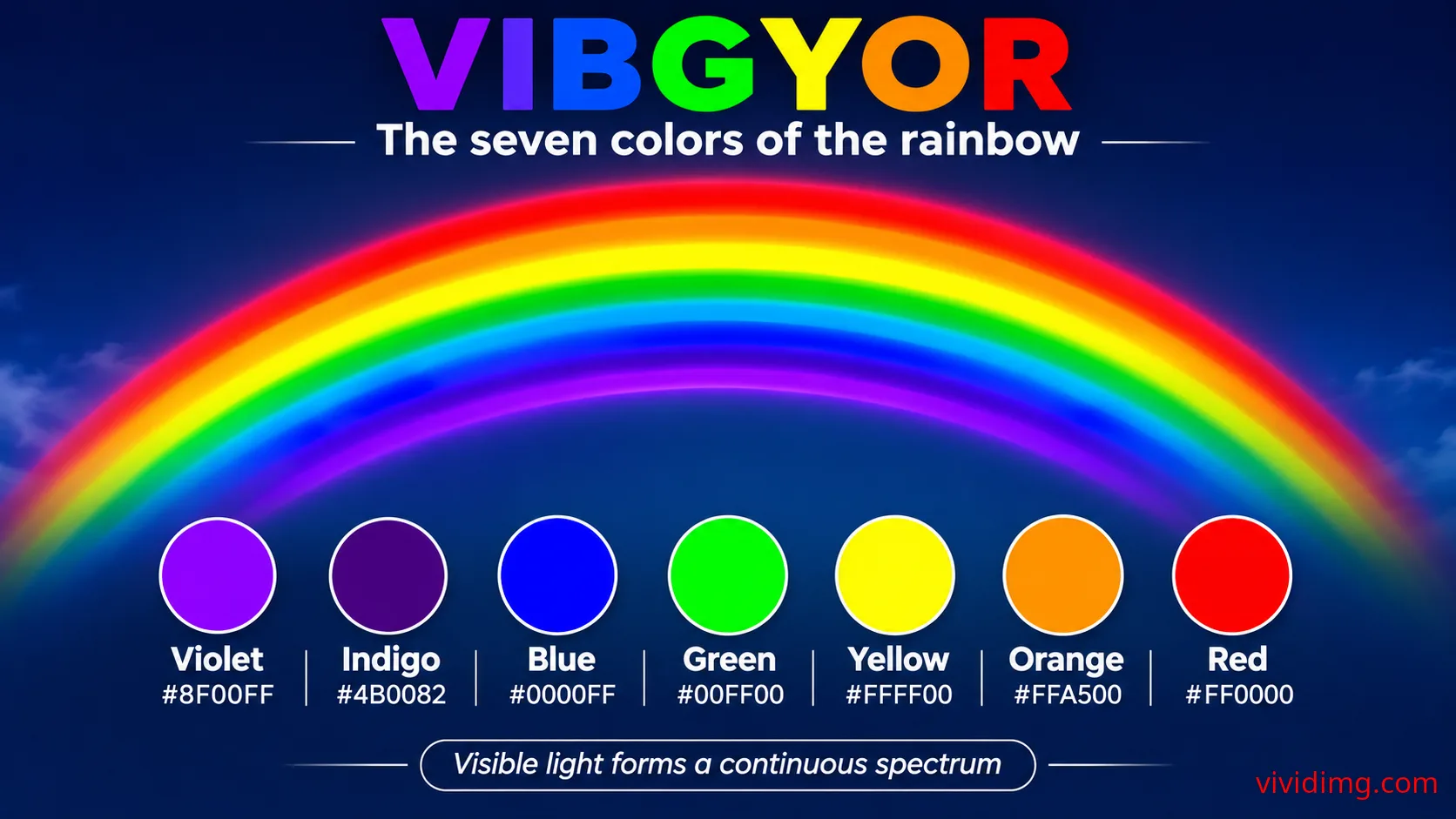
Cyan is not traditionally listed as a separate color in the seven-part VIBGYOR mnemonic. Instead, it occupies a position between green and blue in many modern digital color systems.
Cyan in the HSL color model
HSL stands for Hue, Saturation, and Lightness. Hue identifies a position around the RGB-derived color wheel, saturation describes color intensity, and lightness represents the position between black and white within the HSL model.
Pure cyan #00FFFF has an HSL representation of (180°, 100%, 50%).
The hue angle of 180° places cyan halfway between green at 120° and blue at 240° on the conventional RGB hue wheel.
The saturation value of 100% indicates maximum saturation in the HSL model, while the lightness value of 50% places cyan at the fully saturated midpoint of the HSL lightness scale.
HSL lightness is not equivalent to physical luminance or perceived brightness. Colors with identical HSL lightness values can have substantially different relative luminance values.
Cyan in the HSV and HSB color models
HSV stands for Hue, Saturation, and Value. HSB uses brightness instead of value but refers to the same general model.
Pure cyan #00FFFF has an HSV representation of (180°, 100%, 100%).
Its hue is 180°, saturation is 100%, and value is 100% because the green and blue RGB channels are at their maximum intensities.
The HSV value of 100% does not mean cyan has the same physical luminance as white. It indicates that the largest RGB channel value is at its maximum.
HSL and HSV are convenient for selecting and manipulating digital colors, but neither model is perceptually uniform.
Cyan color temperature and visual characteristics
Cyan is generally classified as a cool color because of its relationship with blue and green.
The featured #00FFFF is bright, fully saturated, and visually striking. Its strong appearance makes it suitable for digital illustrations, technology-themed graphics, educational content, and energetic interface accents.
Cyan can shift toward green or blue depending on its hue. Greenish cyan shades may resemble turquoise, while bluish cyan shades can resemble bright sky blue or electric blue-green.
Because pure cyan is highly saturated, designers often balance it with dark navy, charcoal, black, or neutral backgrounds.
Cyan color psychology and symbolism
Cyan is commonly associated with freshness, clarity, cleanliness, water, openness, communication, technology, creativity, and modernity.
Its relationship with blue and green gives it visual associations with clear water, tropical environments, refreshing experiences, and cool atmospheres.
Cyan is frequently used in technology branding, healthcare-related graphics, digital interfaces, creative applications, and educational materials.
These associations depend on culture, context, and personal experience. Color psychology should be understood as a collection of common visual associations rather than universal scientific rules.
Popular shades and variations of cyan
The cyan color family includes bright, dark, blue-toned, green-toned, muted, and pastel variations.
Representative digital cyan-family shades include:
Pure cyan: #00FFFF
Aqua: #00FFFF
Dark cyan: #008B8B
Light cyan: #E0FFFF
Pale turquoise: #AFEEEE
Turquoise: #40E0D0
Medium turquoise: #48D1CC
Dark turquoise: #00CED1
Cadet blue: #5F9EA0
Teal: #008080
Medium aquamarine: #66CDAA
Aquamarine: #7FFFD4
Powder blue: #B0E0E6
Deep sky blue: #00BFFF
These examples demonstrate how cyan-family colors can vary in hue, saturation, and lightness. The featured infographic uses pure cyan #00FFFF as its primary digital reference.
Cyan color combinations and matching palettes
Cyan can be combined with neutral colors, neighboring cool hues, complementary warm colors, and contrasting accents.
Useful cyan combinations include:
Cyan and black: #00FFFF + #000000 — Strong digital contrast
Cyan and navy: #00FFFF + #001F3F — Modern technology-inspired palette
Cyan and white: #00FFFF + #FFFFFF — Bright, fresh appearance
Cyan and blue: #00FFFF + #0000FF — Cool analogous harmony
Cyan and green: #00FFFF + #00FF00 — Vibrant RGB-secondary relationship
Cyan and red: #00FFFF + #FF0000 — Complementary RGB hue contrast
Cyan and orange: #00FFFF + #FFA500 — Energetic warm-cool contrast
Cyan and magenta: #00FFFF + #FF00FF — Vibrant digital color combination
Cyan and gray: #00FFFF + #808080 — Balanced contemporary palette
Cyan and purple: #00FFFF + #800080 — Creative cool-color contrast
These are visual palette suggestions rather than physical pigment-mixing equations. Their effectiveness depends on color proportions, typography, contrast, and surrounding design elements.
What is the complementary color of cyan?
In the conventional RGB-derived HSL color wheel, pure cyan has a hue angle of 180°. Its complementary hue lies 180° opposite, at 0°, corresponding to pure red.
The direct HSL complementary color of pure cyan #00FFFF is red #FF0000.
Cyan and red create strong hue contrast and can be used for attention-grabbing digital compositions.
However, complementary relationships depend on the color model being used. The red-cyan relationship is particularly important in additive RGB color theory and the simplified subtractive CMY model.
Cyan in additive and subtractive color mixing
In additive RGB light mixing, cyan is a secondary color produced by combining green and blue light.
In the simplified CMY subtractive model, cyan is a primary colorant. Cyan and yellow colorants can produce green-family colors, while cyan and magenta can produce blue-family colors.
In traditional RYB painting, cyan is not usually introduced as one of the three primary pigment colors, although cyan pigments are important in modern art and color reproduction.
These different systems demonstrate why cyan is considered a secondary color in RGB light mixing but a primary colorant in CMY printing.
Accessibility and text contrast on pure cyan backgrounds
Pure cyan #00FFFF has an approximate relative luminance of 0.7874 in the sRGB color space.
Its contrast ratio against pure black #000000 is approximately 16.75:1. Against pure white #FFFFFF, the contrast ratio is approximately 1.25:1.
Under WCAG 2.x AA criteria, normal text generally requires a contrast ratio of at least 4.5:1, while large text generally requires at least 3:1.
Black text on pure cyan comfortably exceeds both thresholds, while white text on pure cyan does not meet either threshold.
This makes black or very dark navy a better choice for typography placed directly on a pure cyan background.
The infographic follows this principle by using dark navy for the large CYAN heading and placing white technical information inside a dark navy panel.
Important information should not rely on color alone. Text labels, icons, and additional visual indicators improve accessibility for users with different visual capabilities.
Using cyan in websites and user interface design
Cyan is widely used in websites and applications for technology-themed layouts, interactive elements, dashboard accents, illustrations, informational graphics, and modern branding.
Pure cyan #00FFFF is extremely bright and can dominate a large interface area. Designers often use darker cyan or teal shades for professional layouts while reserving vivid cyan for highlights and decorative elements.
Cyan can be particularly effective against dark navy or charcoal backgrounds because the combination creates a strong visual contrast.
When designing buttons, badges, navigation elements, and other interactive controls, developers should verify text contrast, focus indicators, hover states, and overall visual hierarchy.
CSS examples for pure cyan backgrounds
Web developers can recreate the featured cyan using hexadecimal notation, RGB values, HSL values, or the predefined CSS keywords cyan and aqua.
/* Pure cyan background */
.cyan-background {
  background-color: #00FFFF;
  color: #000000;
}

/* Equivalent RGB representation */
.cyan-rgb {
  background-color: rgb(0, 255, 255);
}

/* Equivalent HSL representation */
.cyan-hsl {
  background-color: hsl(180, 100%, 50%);
}

/* CSS named colors */
.cyan-keyword {
  background-color: cyan;
}

.aqua-keyword {
  background-color: aqua;
}

/* Reusable CSS variables */
:root {
  --color-cyan: #00FFFF;
  --color-dark-cyan: #008B8B;
  --color-turquoise: #40E0D0;
  --color-navy: #001F3F;
  --color-white: #FFFFFF;
}

.cyan-panel {
  background-color: var(--color-cyan);
  color: #000000;
}

/* Decorative cyan gradient */
.cyan-gradient {
  background: linear-gradient(
    135deg,
    #008B8B 0%,
    #00FFFF 55%,
    #E0FFFF 100%
  );
}
The gradient example demonstrates a possible creative application using dark cyan, pure cyan, and light cyan. It is separate from the solid cyan background shown in the educational infographic.
Cyan in photography, nature and everyday life
Cyan-like colors appear in tropical waters, clear shallow seas, certain minerals, and atmospheric or underwater environments.
Water can appear cyan or turquoise because of a combination of light absorption, scattering, reflections, water depth, suspended particles, and the color of the surrounding environment.
In photography, cyan is often used to create cool-toned compositions, futuristic visual effects, and strong contrasts with warm orange or red elements.
In fashion, cyan-family colors appear in casual clothing, accessories, sportswear, and contemporary design collections. Turquoise and aquamarine offer softer variations of the same broad color family.
In interior design, cyan and turquoise accents can create fresh, modern, and coastal-inspired environments when combined with white, beige, navy, or natural materials.
Cyan in technology and digital media
Cyan has a particularly strong association with digital technology because of its role in RGB light mixing and CMYK printing.
It is frequently used in technology-themed graphics, futuristic interfaces, electronic illustrations, data visualizations, and creative digital artwork.
Cyan can also be used as an accent color in dark-mode interfaces, although designers should avoid excessive saturation and verify accessibility requirements.
Its strong contrast against dark backgrounds makes it useful for highlighting selected interface elements, diagrams, and educational content.
Understanding the pure cyan educational infographic
The image features a vivid solid cyan background representing #00FFFF. A large dark navy CYAN heading appears near the upper-left corner, followed by a dark navy underline and a rounded classification label reading RGB secondary color / cool color family.
A wide dark navy information panel occupies the lower-left and central portion of the composition. On the left, a circular cyan swatch outlined in white identifies the featured color.
The central specification section displays HEX #00FFFF, RGB (0, 255, 255), HSL (180°, 100%, 50%), HSV (180°, 100%, 100%), the cyan color family, and cool temperature classification.
On the right, a bordered statement explains that cyan is a secondary color of RGB light. A supporting explanation states that RGB screens create cyan by combining green and blue light.
The composition preserves a large uninterrupted cyan area above the information panel, allowing viewers to appreciate the featured color directly while keeping the technical information clearly organized.
The infographic focuses exclusively on cyan and its relevant digital color properties without adding lesson numbers, unrelated decorative graphics, or unnecessary visual elements.
Cyan and its relationship with VIBGYOR
Cyan is not traditionally listed as a separate color in the seven-part VIBGYOR mnemonic.
The traditional sequence is Violet, Indigo, Blue, Green, Yellow, Orange, and Red.
Cyan occupies a position between green and blue on the conventional RGB-derived hue wheel. Its appearance connects these neighboring color families and demonstrates how digital color models can represent additional hues beyond the seven commonly named rainbow colors.
Learning about cyan after the traditional VIBGYOR colors helps introduce RGB secondary colors, CMYK primary colorants, and modern color mixing concepts.
Continue exploring the Color Backgrounds collection
This pure cyan reference belongs to the VividImg Color Backgrounds educational collection, which explores colors progressively from foundational concepts to advanced color relationships and creative applications.
The collection begins with an introduction to the VIBGYOR rainbow and neutral colors such as white, black, and gray. It then examines individual chromatic colors, including cyan, magenta, pink, brown, teal, maroon, olive, navy, and other useful digital color references.
Future topics include shades, tints, tones, two-color and three-color mixing, complementary palettes, analogous color harmonies, gradients, textures, accessibility, and advanced color theory.
Pure cyan introduces essential concepts including RGB secondary colors, subtractive CMY primary colorants, digital color codes, complementary hues, relative luminance, accessibility, and cool-color design applications.
Explore the Color Backgrounds collection on VividImg to discover educational color references, practical HEX and RGB codes, visually engaging backgrounds, and detailed explanations for students, teachers, designers, developers, photographers, and creative enthusiasts.
Image statistics
Loading statistics…Top 5 countries
— countries reached · all time
Country data will appear as views are recorded.
Daily views
Last 12 months
- —
- Unique visitors
- —
- Card clicks
- —
- Downloads
- —
- Share actions